---
title: How Do I Register for My isolved Account?
description: Learn how to register for your iSolved account step by step. This guide covers the registration form, email confirmation, verification code, and how to log in to your Employee Workspace for the first time.
---
[Skip to content](https://resources.candoorhcm.com/help-center/register-isolved-account#main-content)
English
Show submenu for translations
[More support](https://resources.candoorhcm.com/help-center/kb-tickets/new?hsLang=en)
[](https://resources.candoorhcm.com/help-center?hsLang=en)
- [Blog](https://blog.candoorhcm.com/)
- [Home](https://candoorhcm.com/)
- Solutions
Show submenu for Solutions
- [Payroll](https://candoorhcm.com/payroll/)
- [Tax Pay](https://candoorhcm.com/tax-pay/)
- [Time and Attendance](https://candoorhcm.com/time-attendance/)
- [Attract and Hire](https://candoorhcm.com/attract-hire/)
- [Employee Onboarding](https://candoorhcm.com/employee-onboarding/)
- [Employee Offboarding](https://candoorhcm.com/employee-offboarding/)
- [FAQs](https://candoorhcm.com/faqs/)
- [Forms and Tools](https://candoorhcm.com/forms-tools/)
Open main navigation
Close main navigation
- [Blog](https://blog.candoorhcm.com/)
- [Home](https://candoorhcm.com/)
- Solutions
Show submenu for Solutions
- [Payroll](https://candoorhcm.com/payroll/)
- [Tax Pay](https://candoorhcm.com/tax-pay/)
- [Time and Attendance](https://candoorhcm.com/time-attendance/)
- [Attract and Hire](https://candoorhcm.com/attract-hire/)
- [Employee Onboarding](https://candoorhcm.com/employee-onboarding/)
- [Employee Offboarding](https://candoorhcm.com/employee-offboarding/)
- [FAQs](https://candoorhcm.com/faqs/)
- [Forms and Tools](https://candoorhcm.com/forms-tools/)
- English
Show submenu for translations
- [More support](https://resources.candoorhcm.com/help-center/kb-tickets/new)
- [Contact us](https://candoorhcm.com/contact-candoor-payroll-hcm-services-lafayette-in/)
[Contact us](https://candoorhcm.com/contact-candoor-payroll-hcm-services-lafayette-in/)
How can we help you?
- There are no suggestions because the search field is empty.
1. [Candoor Payroll](https://resources.candoorhcm.com/help-center?hsLang=en)
2. [Employee](https://resources.candoorhcm.com/help-center/employee?hsLang=en)
3. [Employee Self Service](https://resources.candoorhcm.com/help-center/employee?hsLang=en#employee-self-service)
June 4, 2026
# How Do I Register for My isolved Account?
## This guide quickly walks you through setting up and verifying your new account so you can access isolved securely. It highlights the exact email links, form steps, and verification code process to avoid common signup pitfalls. Follow it to complete registration reliably and enable convenient options like “Remember Me.”
### [View the full step-by-step guide here Account Registration This guide walks you through setting up and verifying your new account so you can access iSolved securely. **Step 1.** Click the **registration link** in the email. 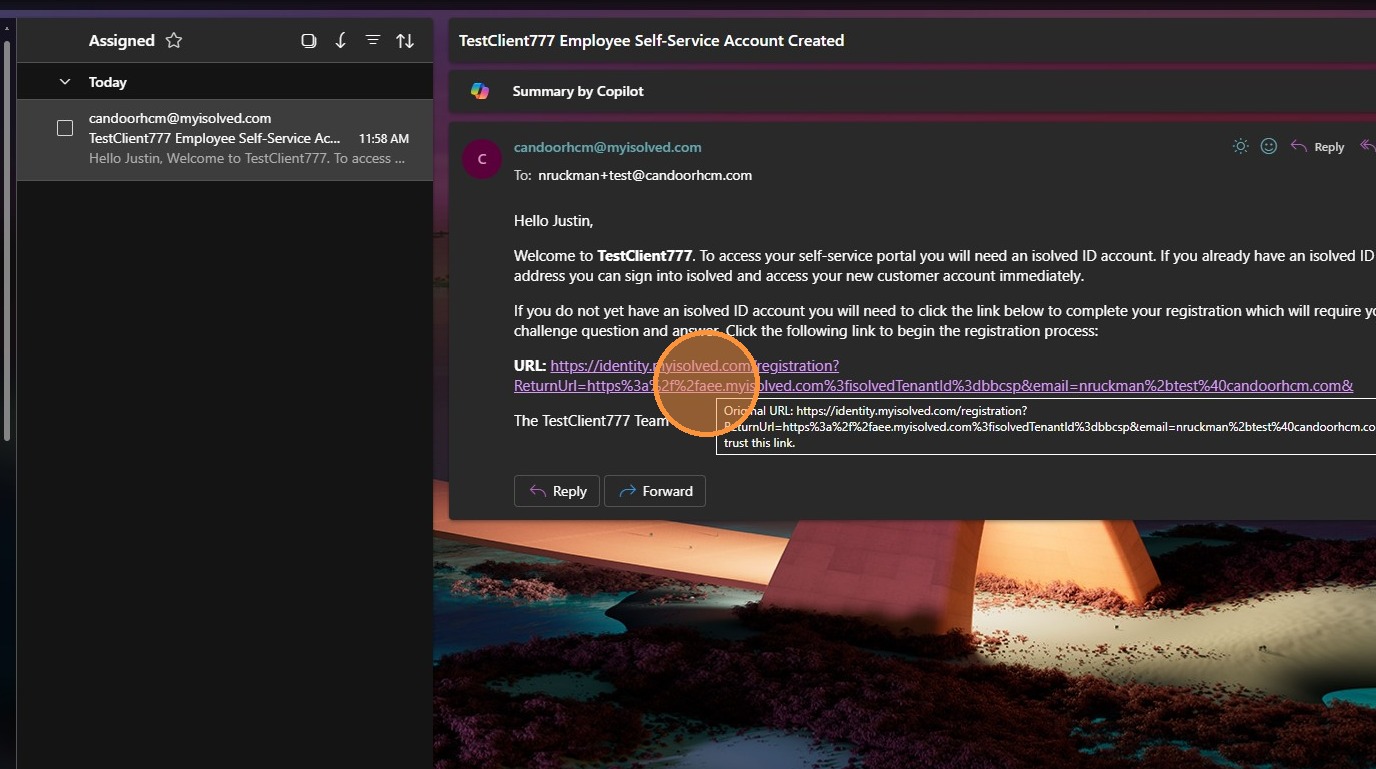 **Step 2.** Complete the **New Account Registration** form and click **Continue**.  **Step 3.** Click the **confirmation link** in the email. 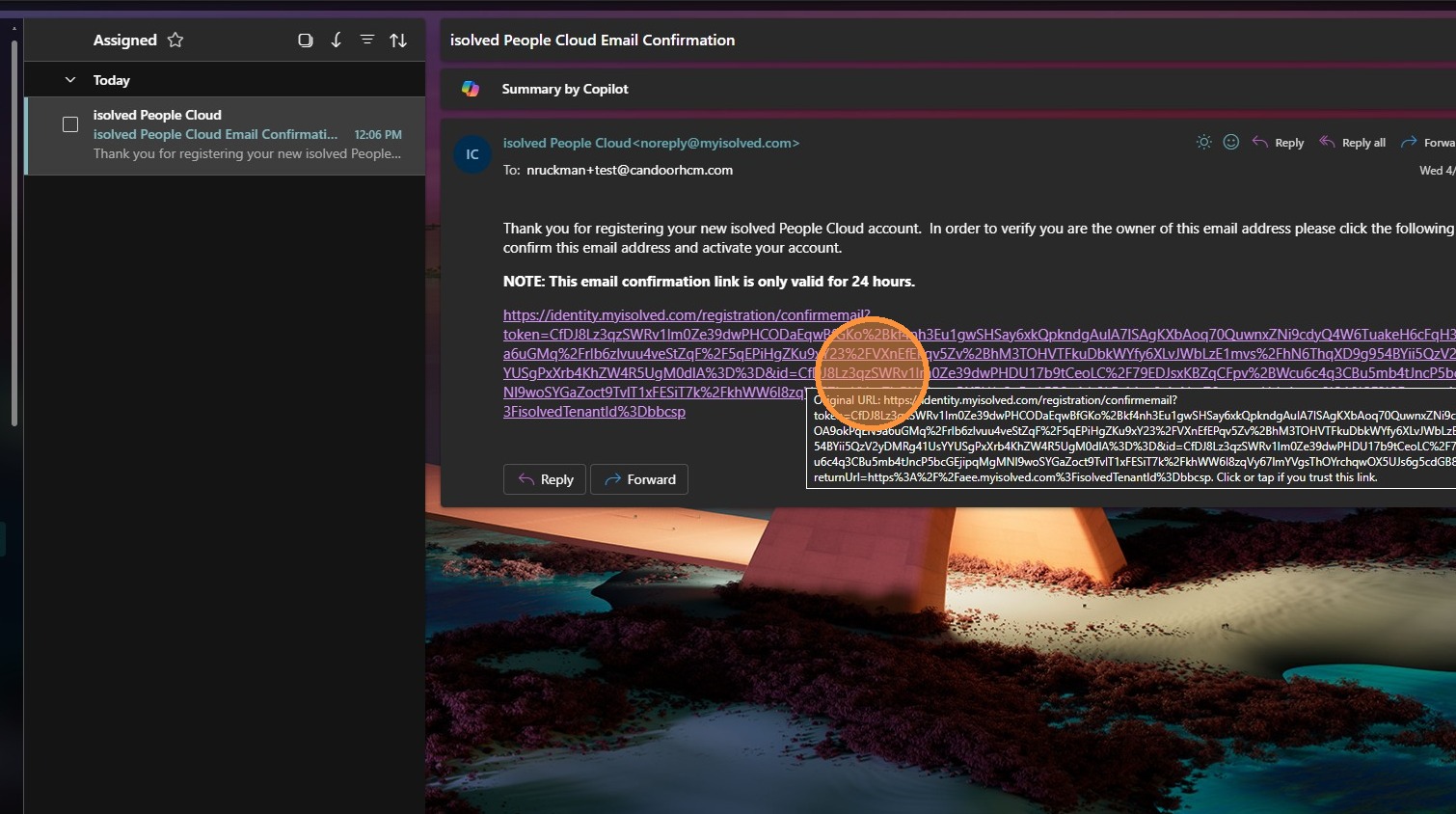 **Step 4.** Select **Continue to iSolved**. 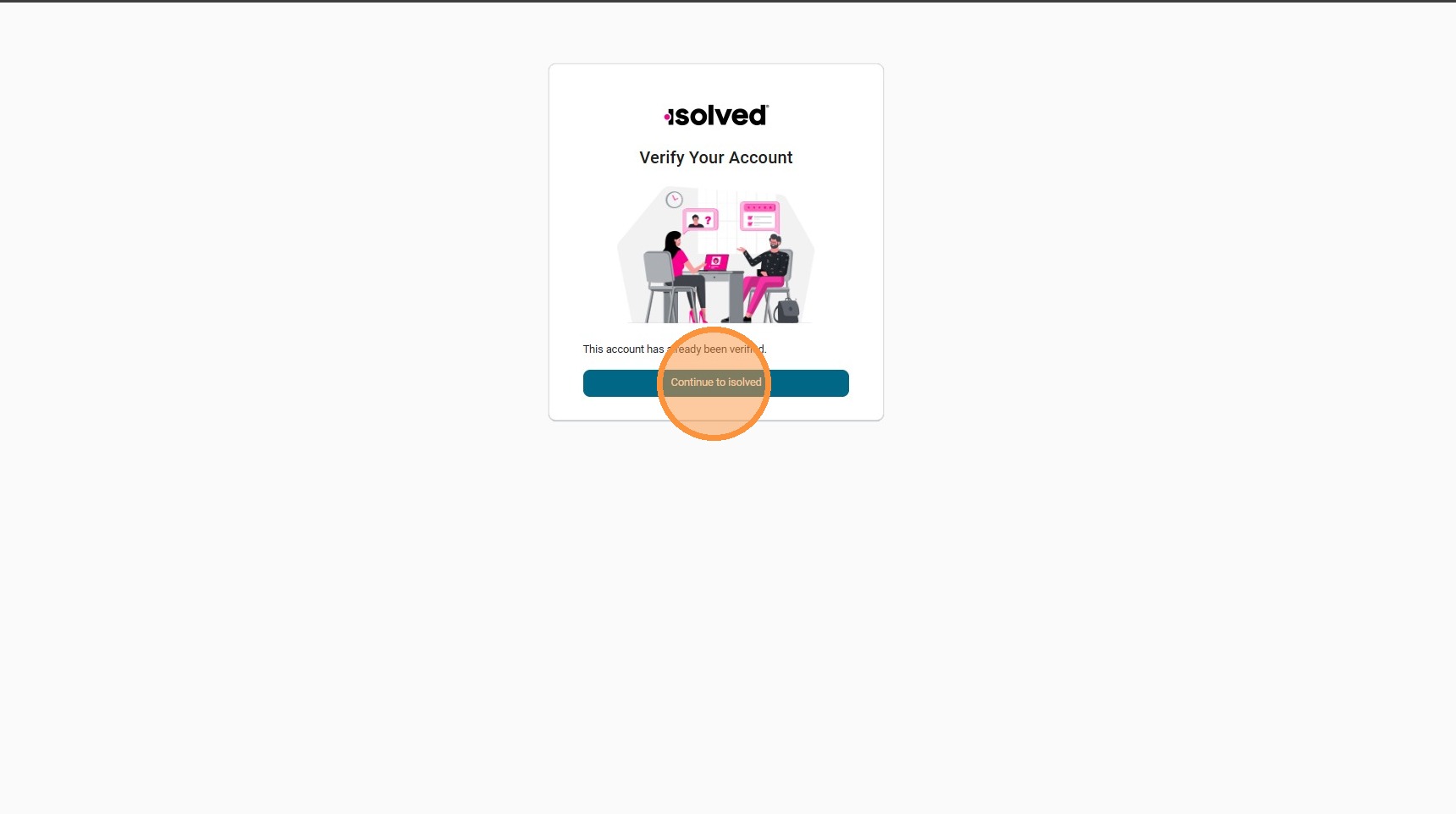 **Step 5.** Enter your **email** and **password**, then click **Continue** to sign in.  **Step 6.** Click **Continue** to request a verification code via email. 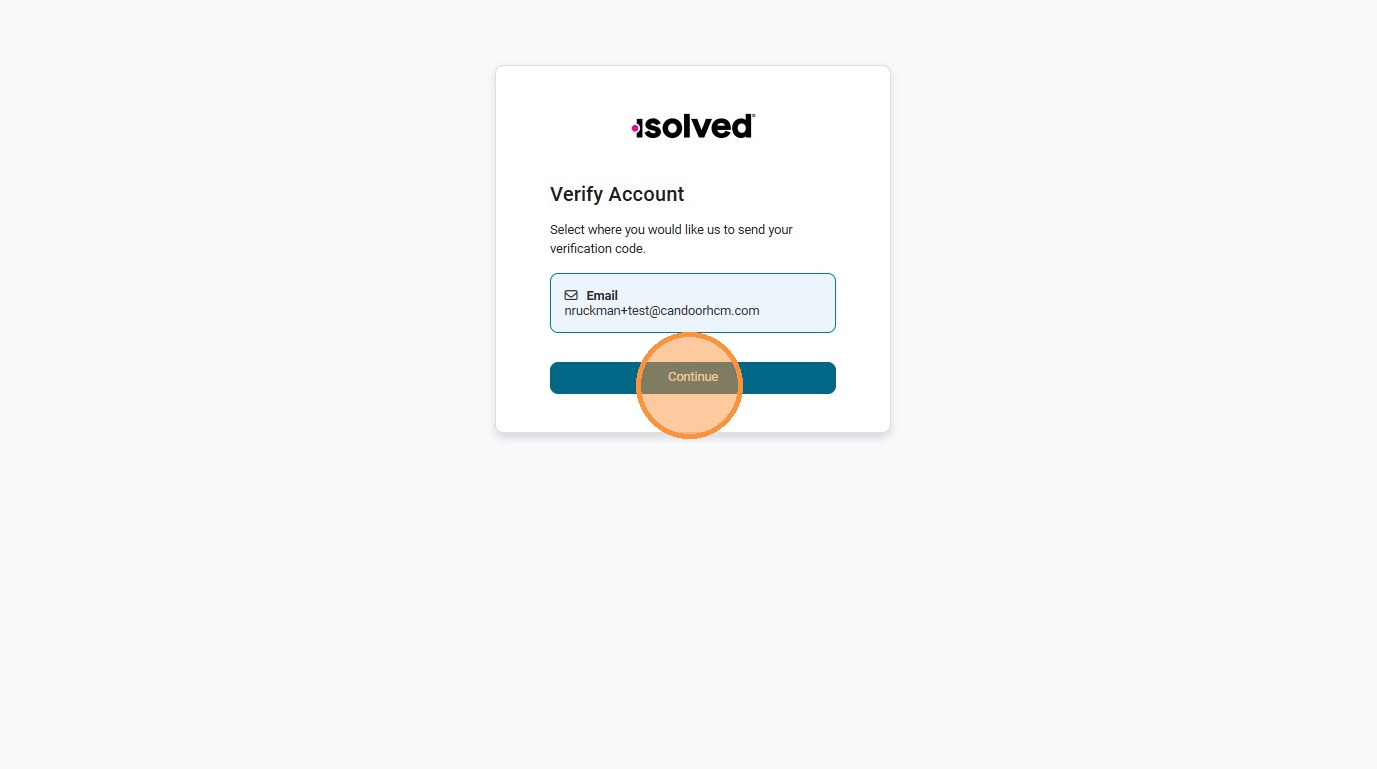 **Step 7.** Open the security code email and enter the code. 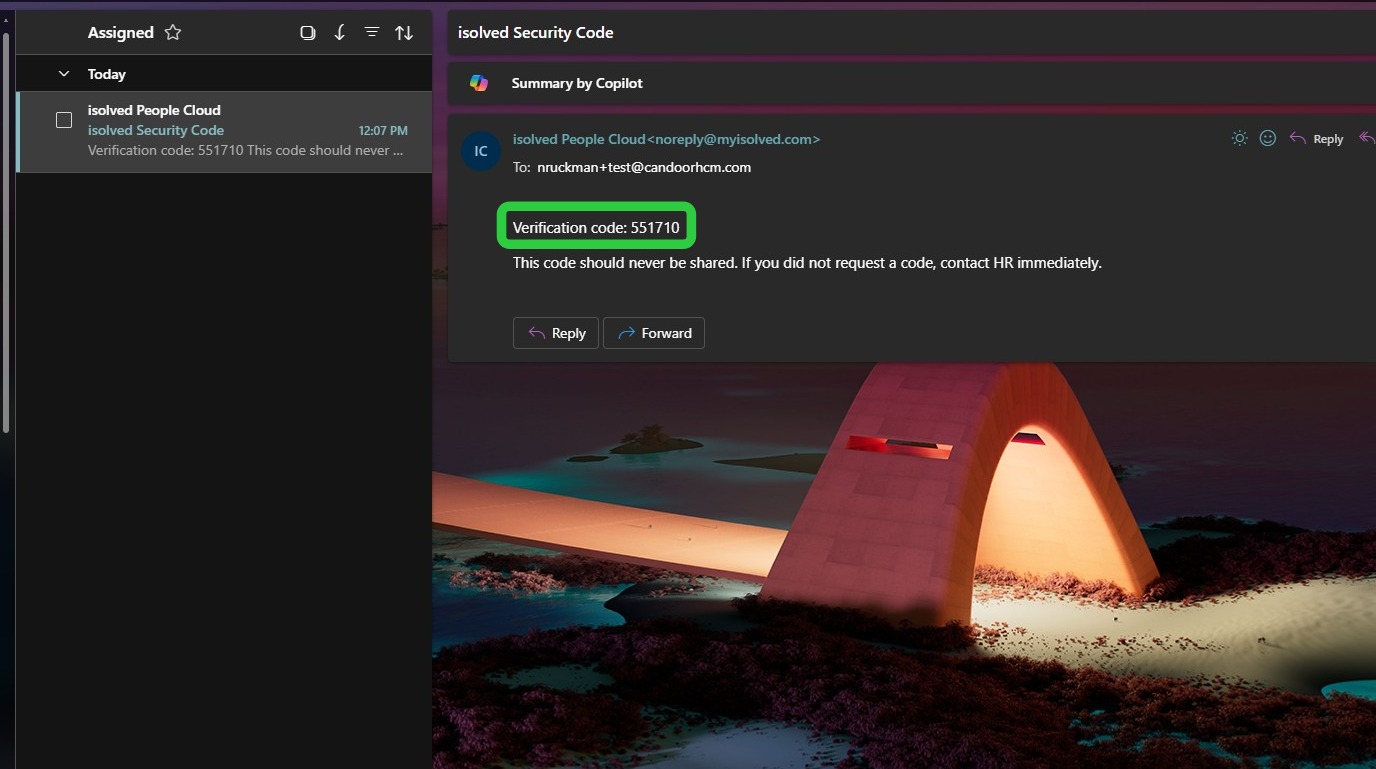 **Step 8.** We recommend selecting the **Remember Me** option for faster future logins. 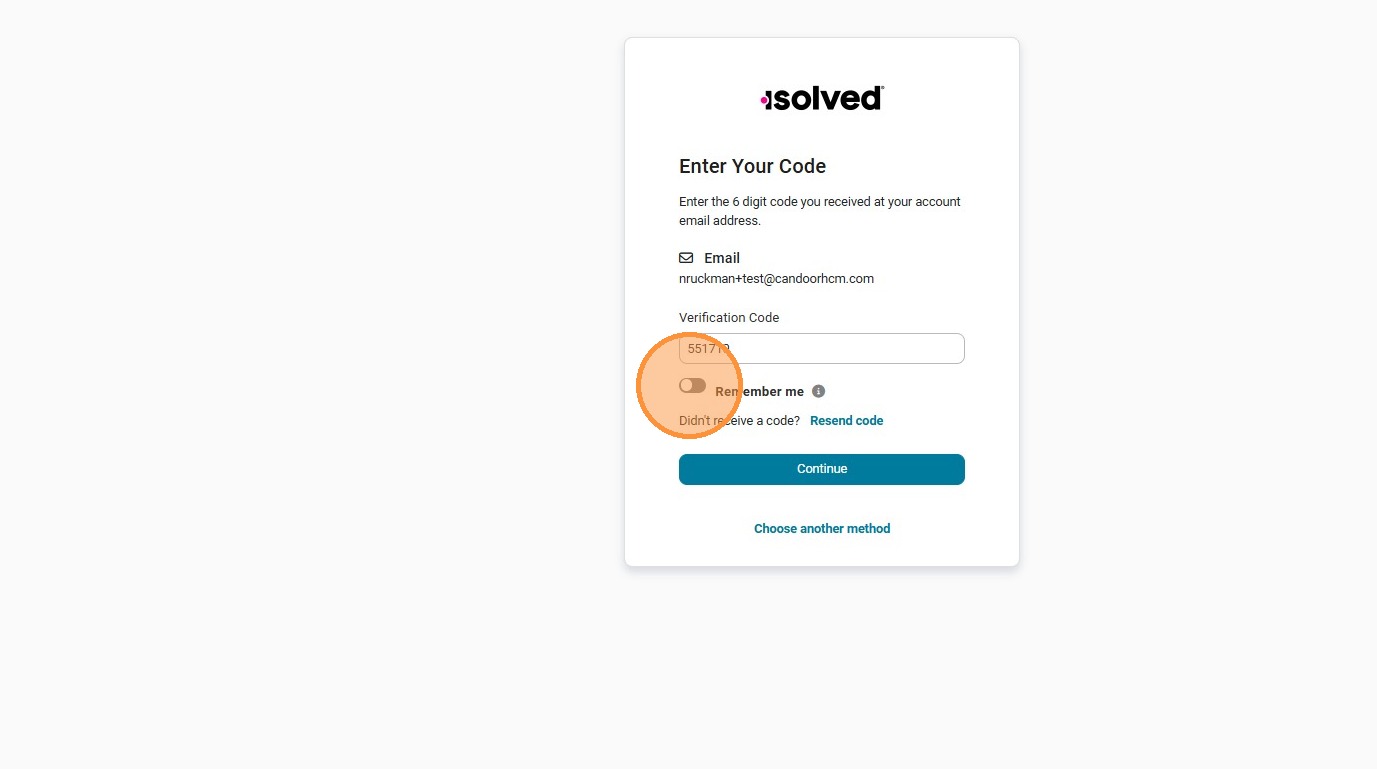 **Step 9.** Click **Continue**. 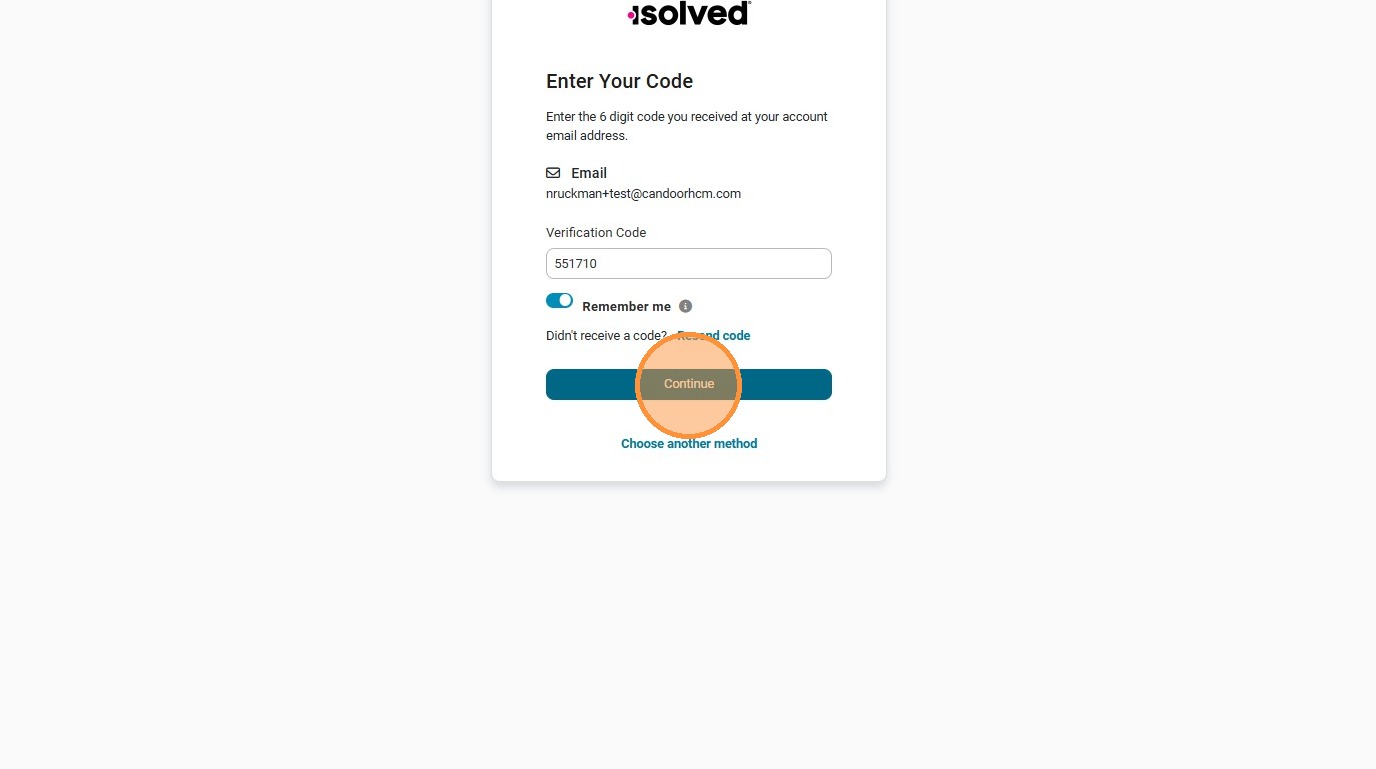 **Step 10.** You're now in the **Employee Workspace**. From here you can view Pay History, Time Off, Benefits, Tax Withholdings, and punch in/out. 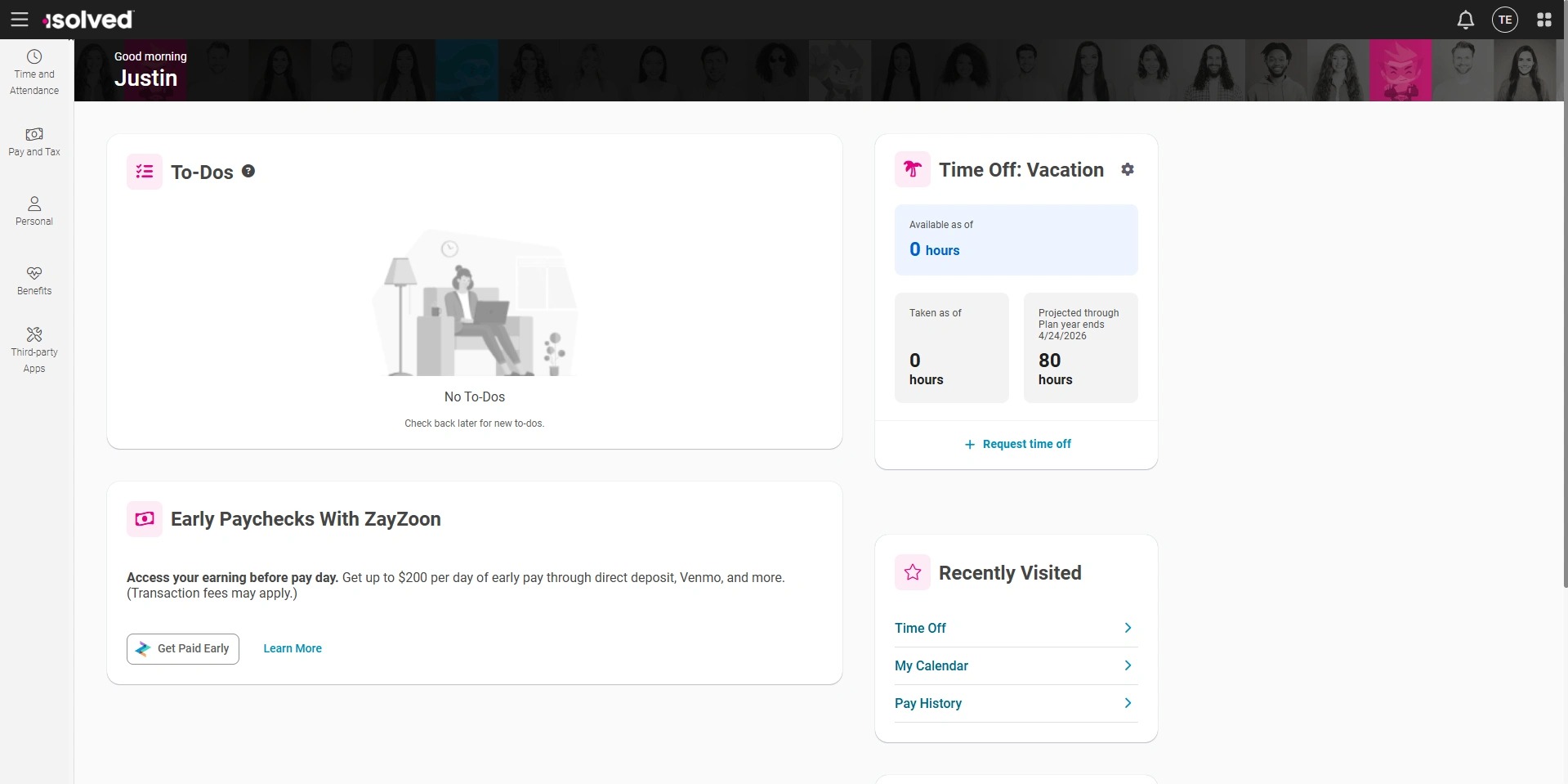](https://scribehow.com/viewer/Account_Registration__SrlFK-cGSF26orDQdV0xSQ)
- [Employee](https://resources.candoorhcm.com/help-center/employee?hsLang=en#main-content)
- [Employee Self Service](https://resources.candoorhcm.com/help-center/employee?hsLang=en#employee-self-service)
- [Time](https://resources.candoorhcm.com/help-center/employee?hsLang=en#time)
- [Employer](https://resources.candoorhcm.com/help-center/employer?hsLang=en)
- [Supervisor / Manager](https://resources.candoorhcm.com/help-center/supervisor-manager?hsLang=en#main-content)
- [Manage Employees](https://resources.candoorhcm.com/help-center/supervisor-manager?hsLang=en#manage-employees)
- [Timeclocks](https://resources.candoorhcm.com/help-center/supervisor-manager?hsLang=en#timeclocks)
[](https://candoorhcm.com/)
[mailto:email@email.com](mailto:email@email.com)
Copyright © 2026, Candoor Payroll & HCM