---
title: How Do I Recover My Password Without a Security Question?
description: Don't have a security question set up on your iSolved account? Learn how to recover your password by contacting Candoor support for identity verification and a Customer Service Reset Code.
---
[Skip to content](https://resources.candoorhcm.com/help-center/recover-my-password-without-a-security-question#main-content)
English
Show submenu for translations
[More support](https://resources.candoorhcm.com/help-center/kb-tickets/new?hsLang=en)
[](https://resources.candoorhcm.com/help-center?hsLang=en)
- [Blog](https://blog.candoorhcm.com/)
- [Home](https://candoorhcm.com/)
- Solutions
Show submenu for Solutions
- [Payroll](https://candoorhcm.com/payroll/)
- [Tax Pay](https://candoorhcm.com/tax-pay/)
- [Time and Attendance](https://candoorhcm.com/time-attendance/)
- [Attract and Hire](https://candoorhcm.com/attract-hire/)
- [Employee Onboarding](https://candoorhcm.com/employee-onboarding/)
- [Employee Offboarding](https://candoorhcm.com/employee-offboarding/)
- [FAQs](https://candoorhcm.com/faqs/)
- [Forms and Tools](https://candoorhcm.com/forms-tools/)
Open main navigation
Close main navigation
- [Blog](https://blog.candoorhcm.com/)
- [Home](https://candoorhcm.com/)
- Solutions
Show submenu for Solutions
- [Payroll](https://candoorhcm.com/payroll/)
- [Tax Pay](https://candoorhcm.com/tax-pay/)
- [Time and Attendance](https://candoorhcm.com/time-attendance/)
- [Attract and Hire](https://candoorhcm.com/attract-hire/)
- [Employee Onboarding](https://candoorhcm.com/employee-onboarding/)
- [Employee Offboarding](https://candoorhcm.com/employee-offboarding/)
- [FAQs](https://candoorhcm.com/faqs/)
- [Forms and Tools](https://candoorhcm.com/forms-tools/)
- English
Show submenu for translations
- [More support](https://resources.candoorhcm.com/help-center/kb-tickets/new)
- [Contact us](https://candoorhcm.com/contact-candoor-payroll-hcm-services-lafayette-in/)
[Contact us](https://candoorhcm.com/contact-candoor-payroll-hcm-services-lafayette-in/)
How can we help you?
- There are no suggestions because the search field is empty.
1. [Candoor Payroll](https://resources.candoorhcm.com/help-center?hsLang=en)
2. [Employee](https://resources.candoorhcm.com/help-center/employee?hsLang=en)
3. [Employee Self Service](https://resources.candoorhcm.com/help-center/employee?hsLang=en#employee-self-service)
June 4, 2026
# How Do I Recover My Password Without a Security Question?
## This article explains how to reset your isolved password if you did not set up a security question. You'll need to contact Candoor support to verify your identity before resetting your account access.
[View the full step-by-step guide here.](https://scribehow.com/viewer/Password_Recovery_without_Security_Question__qkWfwOPnQVmP9csJ4xfkUg)
### Password Recovery without Security Question
This guide walks you through how to reset your iSolved password if you don't have a security question set up on your account.
**Step 1.** To reset your security questions, please use one of the following options:
- Call us at: **765-474-7326**
- Email us at: **Payroll@candoorhcm.com** using the email address associated with your account
*We will verify your identity before resetting your questions.*
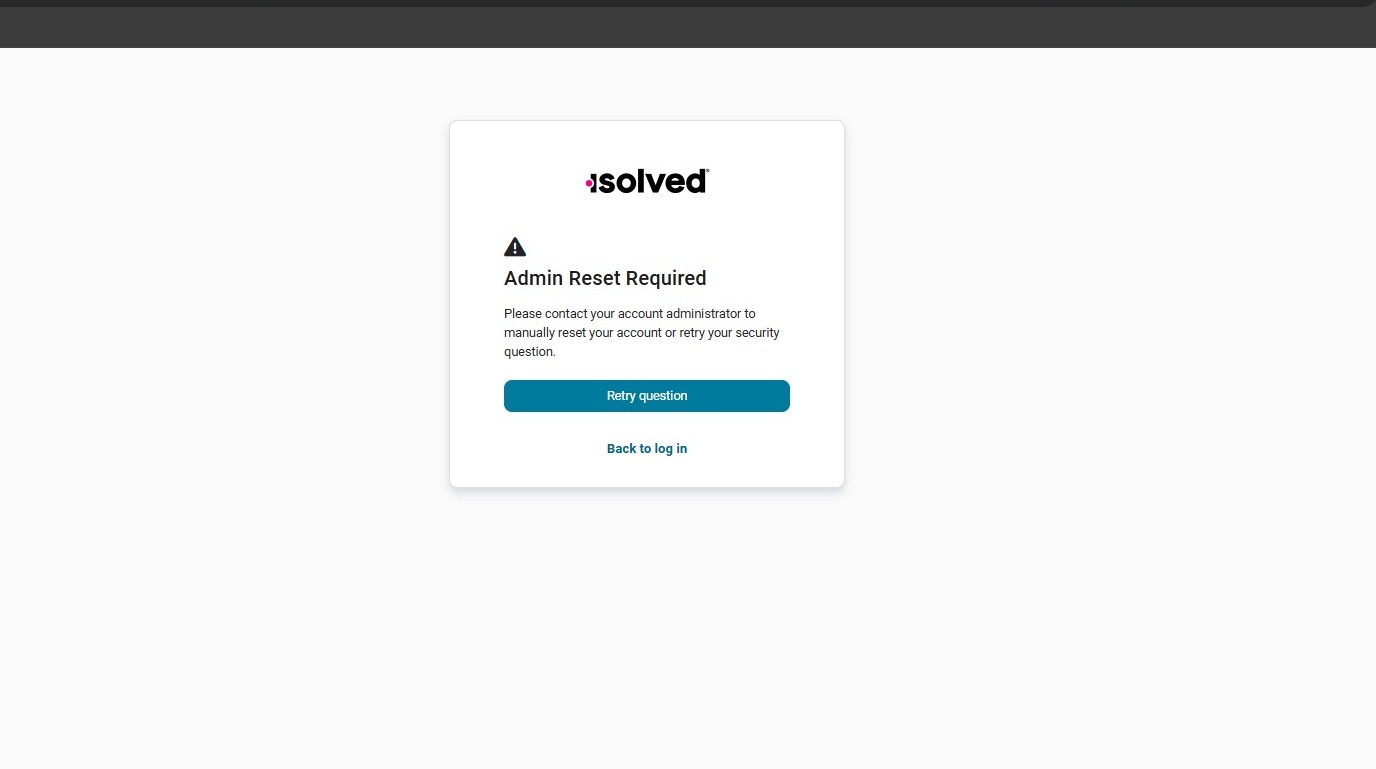
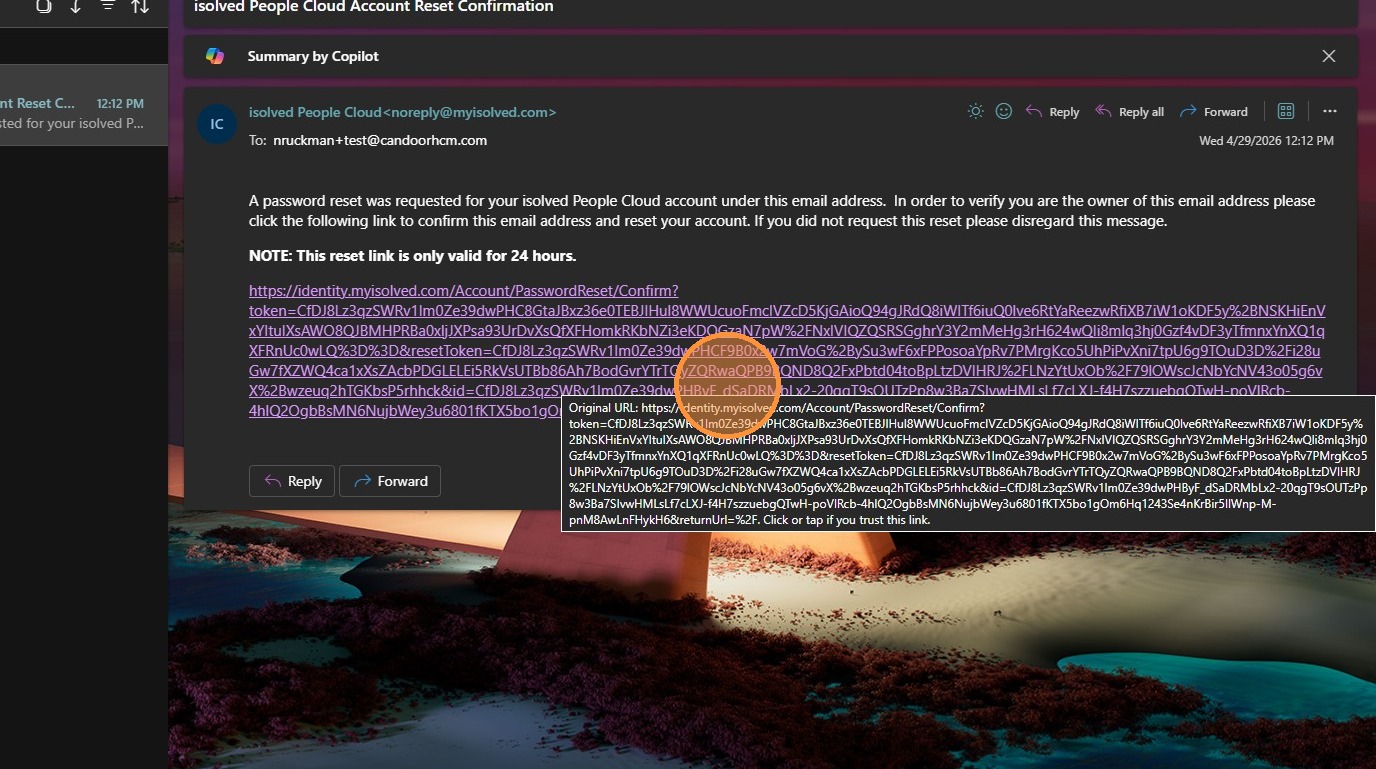
**Step 2.** Once we verify your identity, click the **reset link** in the follow-up email.
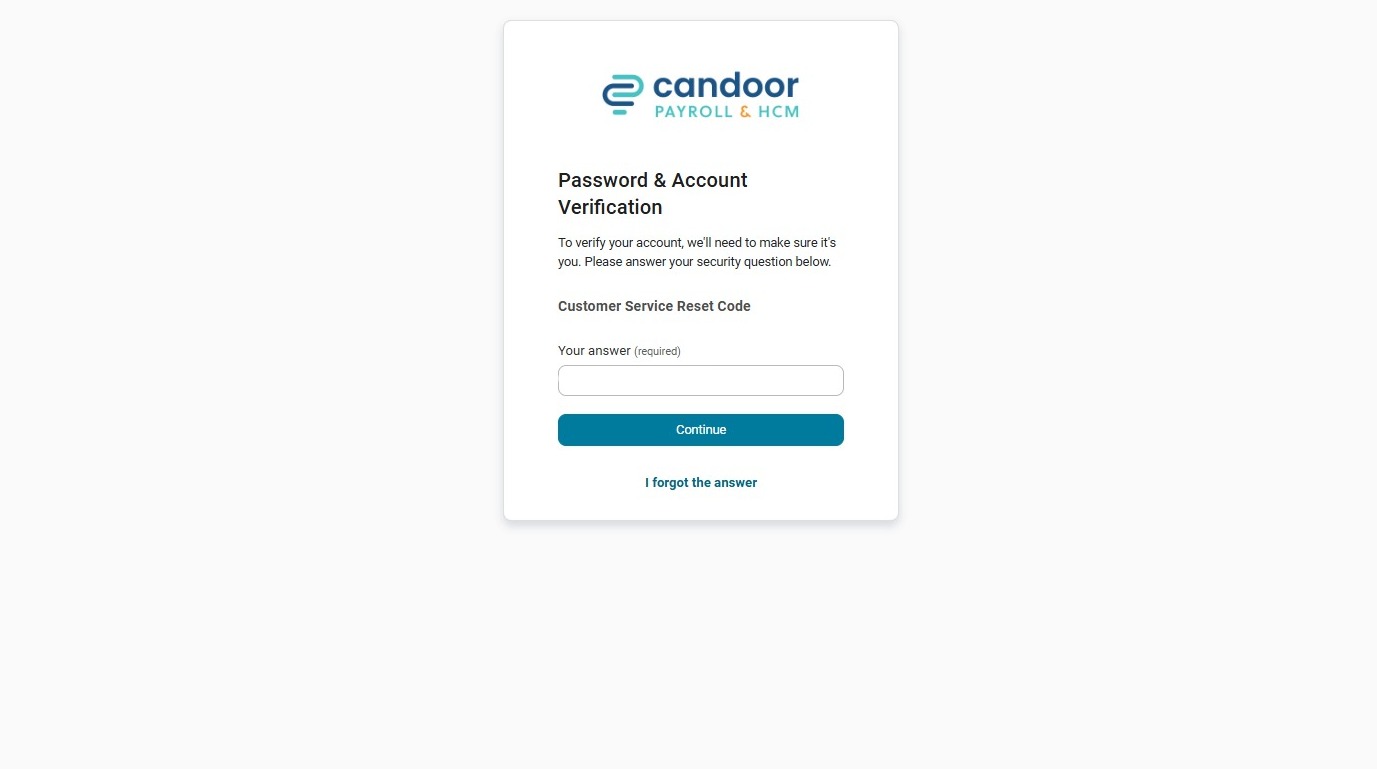
**Step 3.** You will be prompted to enter a **Customer Service Reset Code**. A second email containing the code will be sent to you.
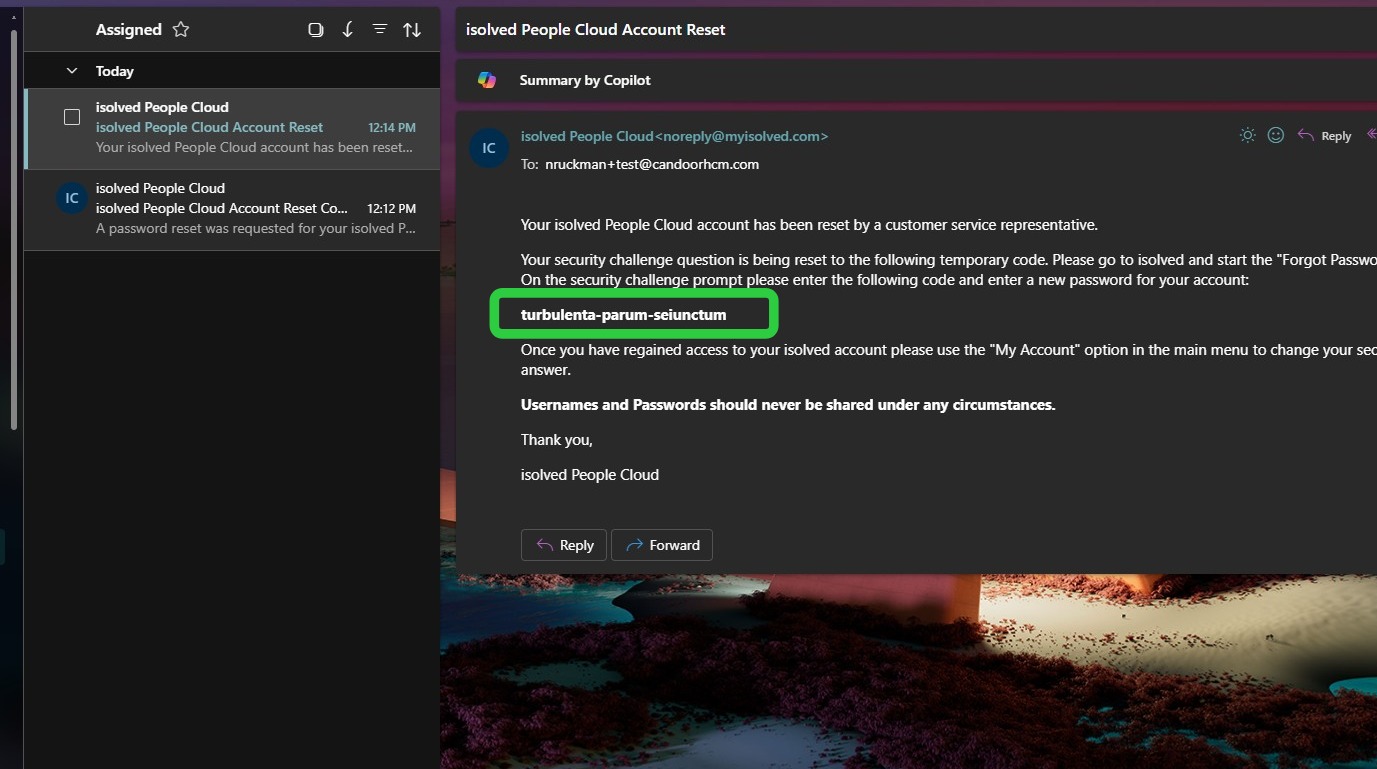
**Step 4.** Open the second email and copy the **Customer Service Reset Code**.
**Step 5.** Enter the **Customer Service Reset Code** and click **Continue**.

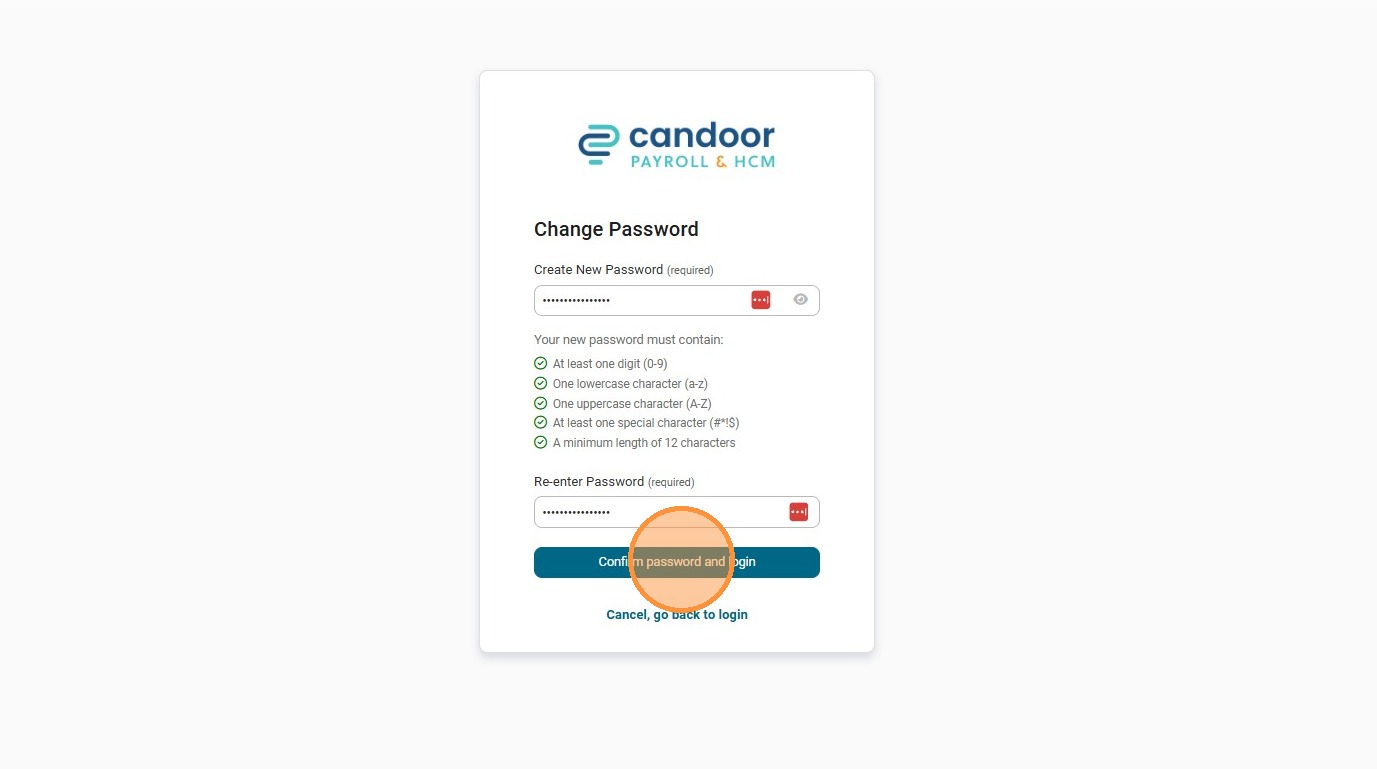
**Step 6.** Enter your **new password** and click **Confirm password and login**.
- [Employee](https://resources.candoorhcm.com/help-center/employee?hsLang=en#main-content)
- [Employee Self Service](https://resources.candoorhcm.com/help-center/employee?hsLang=en#employee-self-service)
- [Time](https://resources.candoorhcm.com/help-center/employee?hsLang=en#time)
- [Employer](https://resources.candoorhcm.com/help-center/employer?hsLang=en)
- [Supervisor / Manager](https://resources.candoorhcm.com/help-center/supervisor-manager?hsLang=en#main-content)
- [Manage Employees](https://resources.candoorhcm.com/help-center/supervisor-manager?hsLang=en#manage-employees)
- [Timeclocks](https://resources.candoorhcm.com/help-center/supervisor-manager?hsLang=en#timeclocks)
[](https://candoorhcm.com/)
[mailto:email@email.com](mailto:email@email.com)
Copyright © 2026, Candoor Payroll & HCM